
How to get more time: win back an hour a day by not typing
If you work at a computer, a big part of your day goes into writing: emails, WhatsApp and Slack messages, reports, replies to clients. The simplest way to win back time is not to work faster, but to stop typing.
How much time you spend writing (and why it's so much)
The average person types about 40 words per minute. When we speak, we say 130 to 150. A Stanford University study compared dictating with typing on a phone and found speech was about three times faster, with fewer errors.
Do the math for your own day: if you spend two hours writing emails and messages, dictating most of them easily gives you an hour back. Every day. That's about 20 hours a month, almost three working days.
The problem with old-school dictation
Dictation has been around for years, yet almost nobody uses it for work. The reason: it transcribes literally, with every filler word, "um", repetition and no structure. You end up fixing so much that it isn't worth it.
AI dictation changes that. It doesn't copy what you say: it understands what you mean and writes it properly, with the right tone for each place.
How AI dictation works in NOTVM
- Put the cursor where you want to write: Gmail, Outlook, WhatsApp, Slack, Word, Notion or any website.
- Hold ⌥ Space (on Windows, Alt Space) and speak naturally.
- Let go. A few seconds later the text appears, clean and well organized.

It writes differently in each app
The same dictation becomes a professional email in Gmail (with greeting and sign-off), a short casual message in WhatsApp or a structured text with lists in a document. You don't have to ask: NOTVM knows where you are writing.
It understands how we really talk
- You correct yourself mid-sentence: "let's meet Tuesday, no, sorry, Wednesday" becomes just "Wednesday".
- You give instructions: "tell Laura we'll see her on Thursday" writes the message to Laura, not the literal sentence.
- It drops the filler: the "well", "like" and "um" disappear.
Three tricks to save even more time
1. Reply to an email without writing it
With the email open, put the cursor in the reply and say: "Tell them we can do it, but we need three weeks". NOTVM reads the conversation to know who you are replying to and writes a complete answer.
2. Transform text without copy and paste
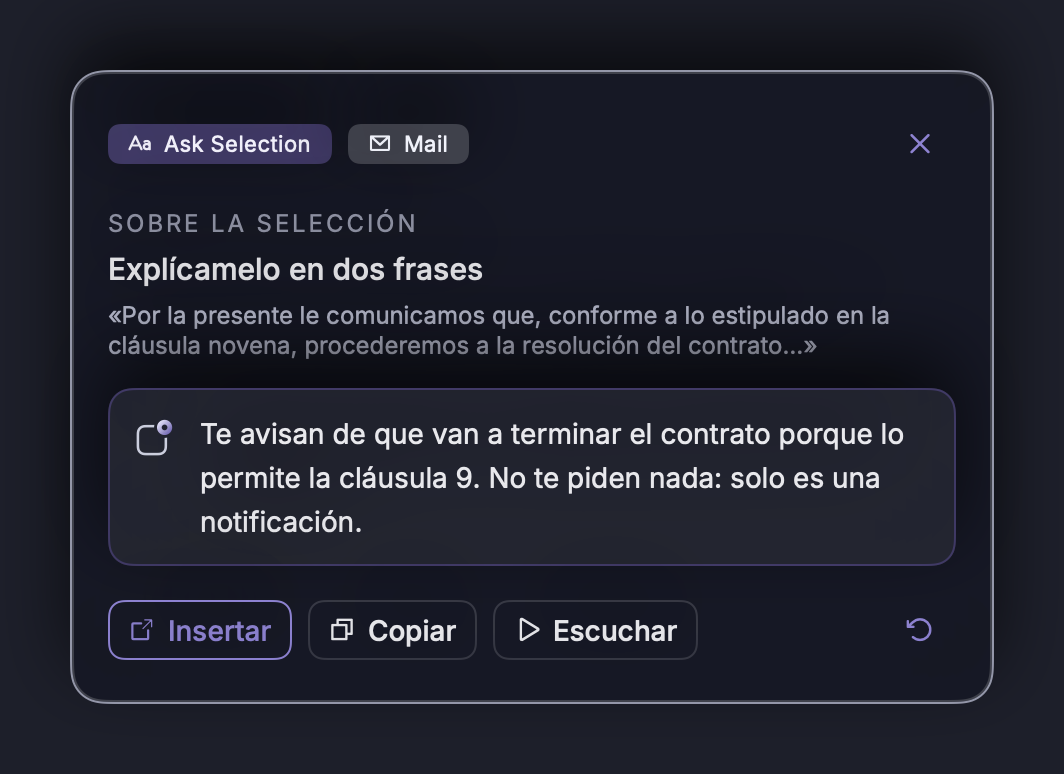
Select any text and say what you want: "translate it into Spanish", "make it more formal", "summarize it in three points". It's replaced instantly, without opening ChatGPT or another window.
3. Dictate rough ideas and tidy them up later
For a report or proposal, talk for two minutes without worrying about order. Then select the text and ask "organize it with headings and bullet points". Thinking out loud is much faster than thinking while typing.
Tip: start with short messages only (WhatsApp, Slack). Within a week it will feel natural and you'll use it for long emails too.
In short
- Speaking is about three times faster than typing.
- AI dictation writes what you mean, not what you say word for word.
- Using it for emails and messages can give you back an hour a day.
Try it free for 7 days
NOTVM works on Mac and Windows, in any app. Install it in two minutes and use a single shortcut: ⌥ Space on Mac or Alt Space on Windows.
Download NOTVM