
Meetings without taking notes: the summary, tasks and email write themselves
Meetings have a hidden cost: the one that comes afterwards. Cleaning up your notes, remembering who committed to what and writing the follow-up email. Often that's 20 or 30 extra minutes per meeting. And if you take notes while talking, you're never fully in the conversation.
Why taking notes costs you time (twice)
When you write during a meeting, you miss part of what is said and you take part less. And when it ends, you have to rebuild everything. The result: incomplete notes, forgotten tasks and follow-up emails that go out late, or never.
What a meeting copilot does
A meeting copilot listens to the call for you, helps you while you talk and, at the end, hands you everything you would normally do by hand:
- A summary with the key points and decisions.
- Tasks with who owns each one.
- A follow-up email ready to send to attendees.
How it works in NOTVM
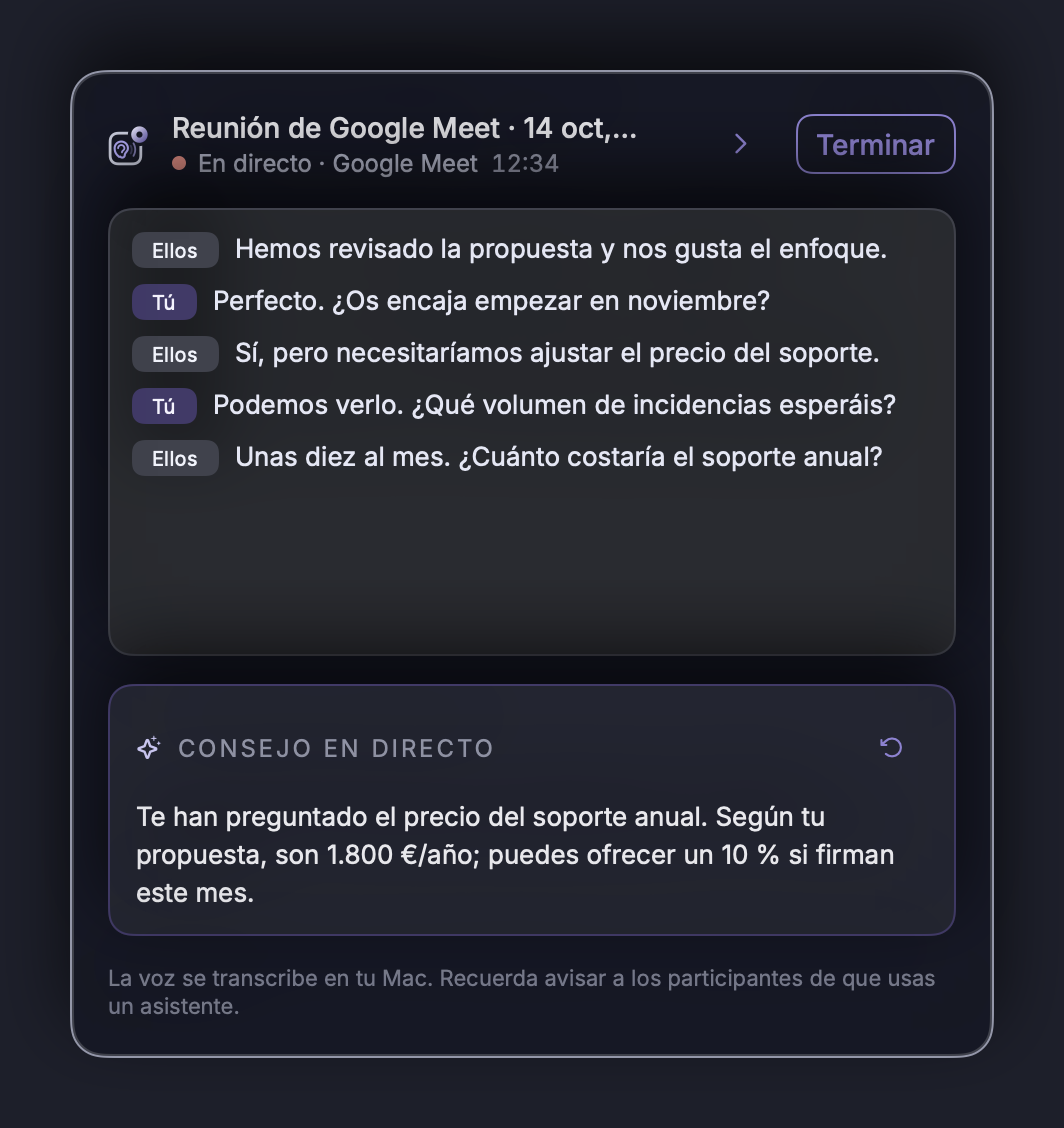
When NOTVM detects you're in a meeting (Zoom, Google Meet, Teams, Webex…), it asks if you want to turn on the copilot. No need to invite a "bot" to the call: it runs on your computer.
During the meeting
You see the live transcript and, when there's something useful (a question left unanswered, a topic still to cover), NOTVM suggests it in the same window. You can hide it and it keeps listening.
When it ends
Press Finish and within seconds you have the summary, the tasks and a draft of the follow-up email. Everything is saved, so next week you can ask: "What did we agree with the client on Tuesday?".
And it turns tasks into actions
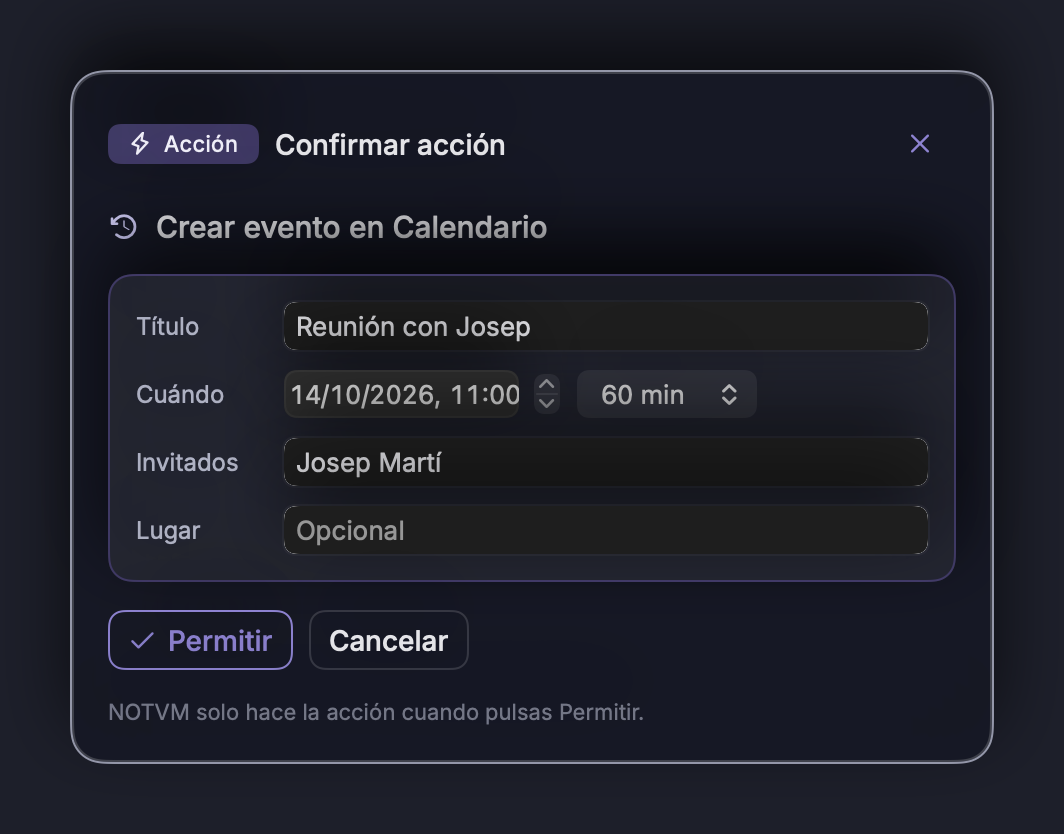
If you agreed to meet again on Thursday, just say "set up a meeting with Marta on Thursday at ten". NOTVM prepares the event and asks your permission before creating it.
Privacy: what matters
- Your voice is transcribed on your own computer.
- No visible assistant joins the call.
- Let participants know you're using an assistant, just as you would if you were recording.
How much time you save: if you have five meetings a week and each one cost you 20 minutes of notes and follow-up, you win back over an hour and a half a week. And nothing gets forgotten.
In short
- Taking notes pulls you out of the conversation and costs you time afterwards.
- A meeting copilot gives you the summary, tasks and email when the call ends.
- NOTVM runs on your computer, with any video-call app.
Try it free for 7 days
NOTVM works on Mac and Windows, in any app. Install it in two minutes and use a single shortcut: ⌥ Space on Mac or Alt Space on Windows.
Download NOTVM