
How to reply to emails faster with AI (without sounding like a robot)
Email is still the biggest time sink: reading, understanding what's being asked, thinking of a reply, writing it in the right tone and checking it. With these seven techniques, backed by artificial intelligence, you can reply in half the time without your emails sounding like a robot.
1. Understand the email at a glance
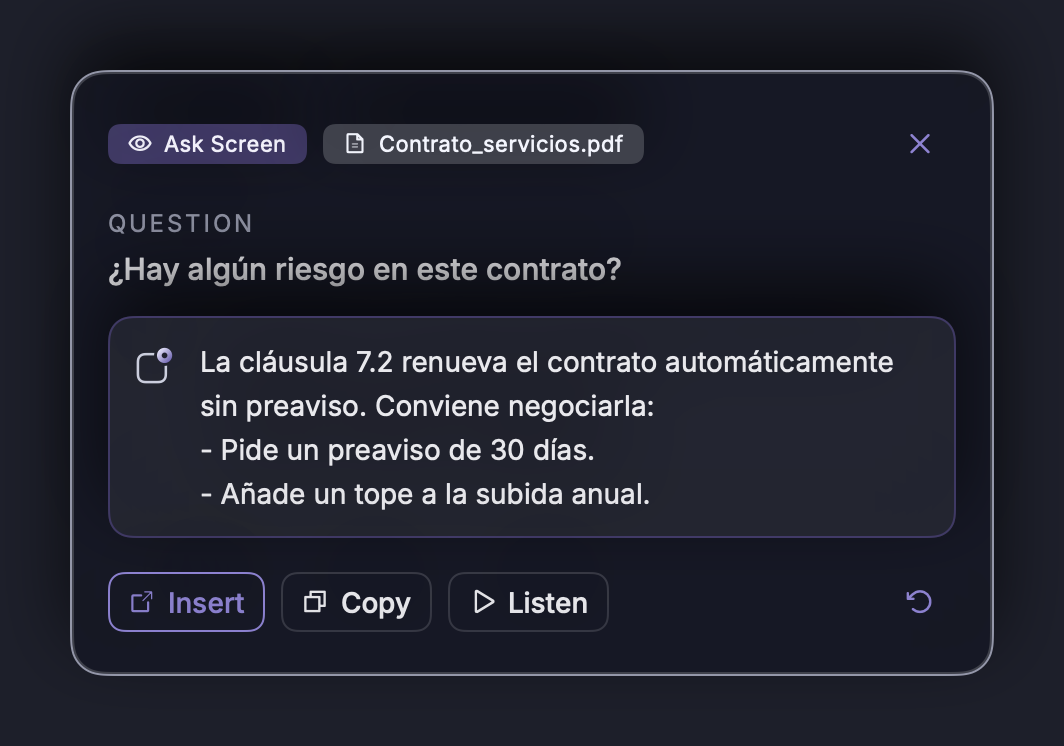
Before you reply, you need to understand. With a long email open, ask: “What are they asking me in this email?” or “Summarize it in three points”. NOTVM looks at the screen and answers in a card, without copying or pasting anything.
2. Reply by dictating the idea, not the wording
You don't need to type the whole email. Put the cursor in the reply and say the idea: “Tell them we can do it, but we need three weeks and to review their API first”. NOTVM reads the conversation to know who you're replying to and writes a complete email, with greeting and sign-off.
3. Keep your tone (and your sign-off)
The biggest worry with AI is that the email sounds impersonal. The key is that the idea is yours and the AI only does the writing. In NOTVM's settings you can add your name for the sign-off and describe your style (“first names with clients, short sentences”), and it also learns from the texts it writes with you.
4. Adjust the text without rewriting it
Draft too long or too blunt? Select it and ask: “make it shorter”, “more formal” or “warmer”. It's replaced instantly.
5. Reply in another language without a translator
Dictate the reply in your language and then ask “translate it into Spanish”. Or, when an email arrives in another language, simply ask “what are they asking me?” and reply in yours.
6. Instantly find what you need to reply
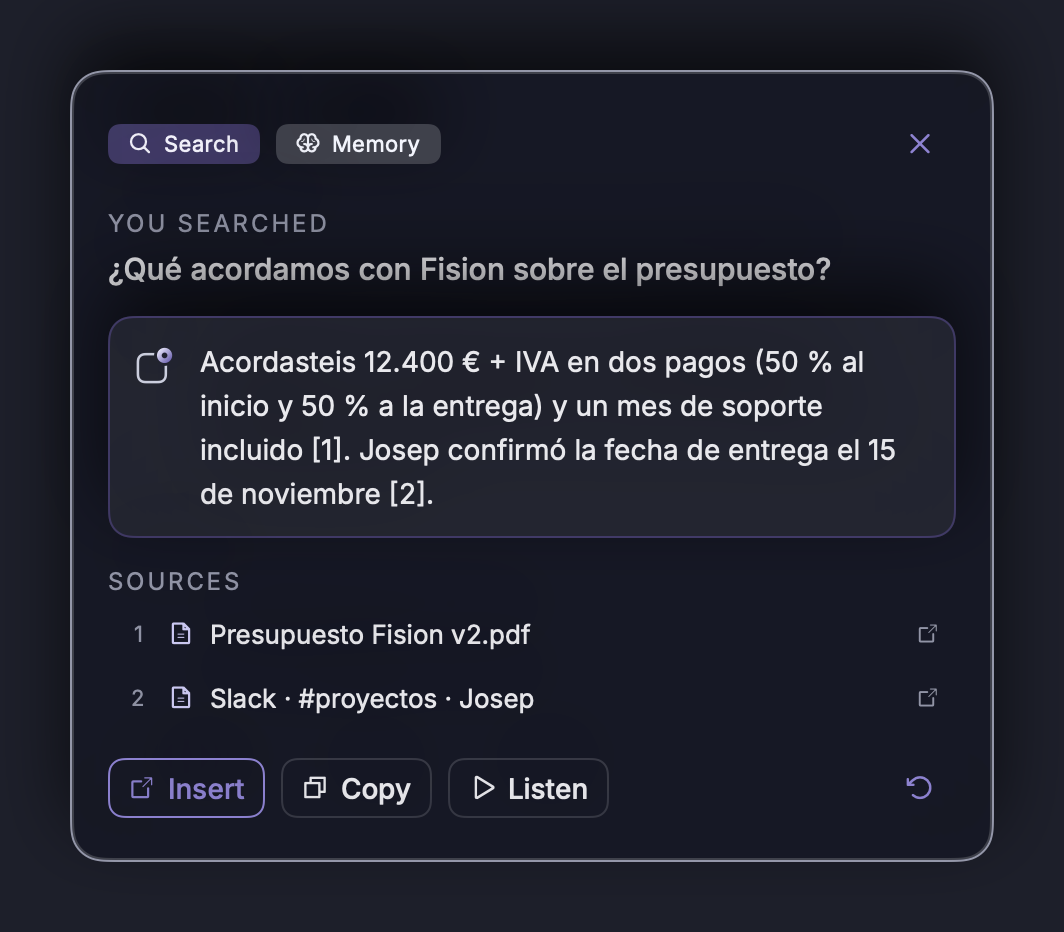
Many replies get delayed because a detail is missing: a price, a date, a document. Ask “how much did we quote them last month?” and NOTVM searches your documents and emails, with the source so you can check it.
7. Turn the email into action
If the email proposes a meeting, say “add this meeting to my calendar”. NOTVM prepares the event with the details from the email and asks you to confirm before creating it.
How much time you can save
A 150-word email takes about 3 minutes 45 seconds to type, and around a minute when you dictate the idea. If you answer 20 emails a day, the difference is more than an hour a day. More ideas in 7 repetitive tasks you can stop doing today.
Frequently asked questions
Can people tell an email was written with AI?
They can when the AI writes without context and with generic phrases. If you dictate the idea and the AI writes it in your tone and with your sign-off, the email sounds like you. NOTVM also learns how you write.
Can the AI read my emails?
With NOTVM, the AI only sees the email on your screen when you ask it to, so it knows who and what you're replying to. Your voice is transcribed on your own computer, and Anthropic, the AI provider, does not use your requests to train its models.
Does it work with Gmail and Outlook?
Yes. NOTVM writes into any text field, so it works with Gmail in the browser, Outlook, Apple Mail or any other email app, on Mac and Windows.
Can I reply in another language?
Yes. Dictate the reply in your language and ask “translate it into Spanish”, or select an email you received in another language and ask “what are they asking me?”.
Try it free for 7 days
NOTVM works on Mac and Windows, in any app. Install it in two minutes and use a single shortcut: ⌥ Space on Mac or Alt Space on Windows.
Download NOTVM