
How to understand a contract or long PDF in minutes with AI
A 30-page contract, a technical report or a supplier's terms. Reading them end to end takes an hour, and even then it's easy to miss the clause that matters. With AI you can go straight to what you need to know, in minutes.
The problem with long documents
Most long documents get skimmed: the summary, the price table and not much else. What causes trouble usually hides in the fine print: notice periods, penalties, automatic renewals, liabilities. And pasting fragments into ChatGPT is slow and loses the full context.
Ask the document directly
Open the PDF or Word file as usual and, with the NOTVM shortcut (⌥ Space on Mac, Alt Space on Windows), ask what you need to know:
- “What obligations do we take on with this contract?”
- “Is there a penalty if we cancel early?”
- “Pull out all the important dates and deadlines”
- “Does it renew automatically? With how much notice?”
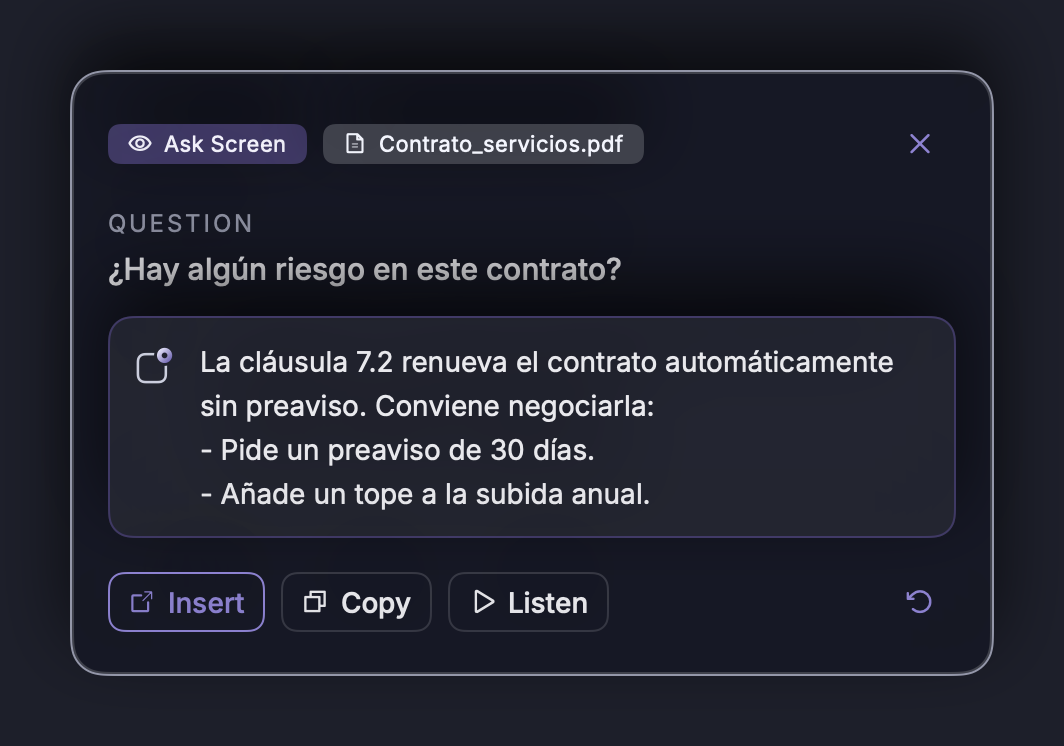
With the Pro plan, NOTVM reads the whole document, not just the page on screen. That's why it can answer questions about the appendix on page 27 while you're looking at the cover.
Five ways to use it
1. Executive summary in seconds
Ask “summarize it in five points for an executive” and you'll have the essentials before the meeting.
2. Spot the risks
“Which clauses are unfavorable for us?” points you to where you should look more carefully.
3. Compare with what you already have
NOTVM also searches your saved documents: “how does this proposal differ from the one they sent in March?”.
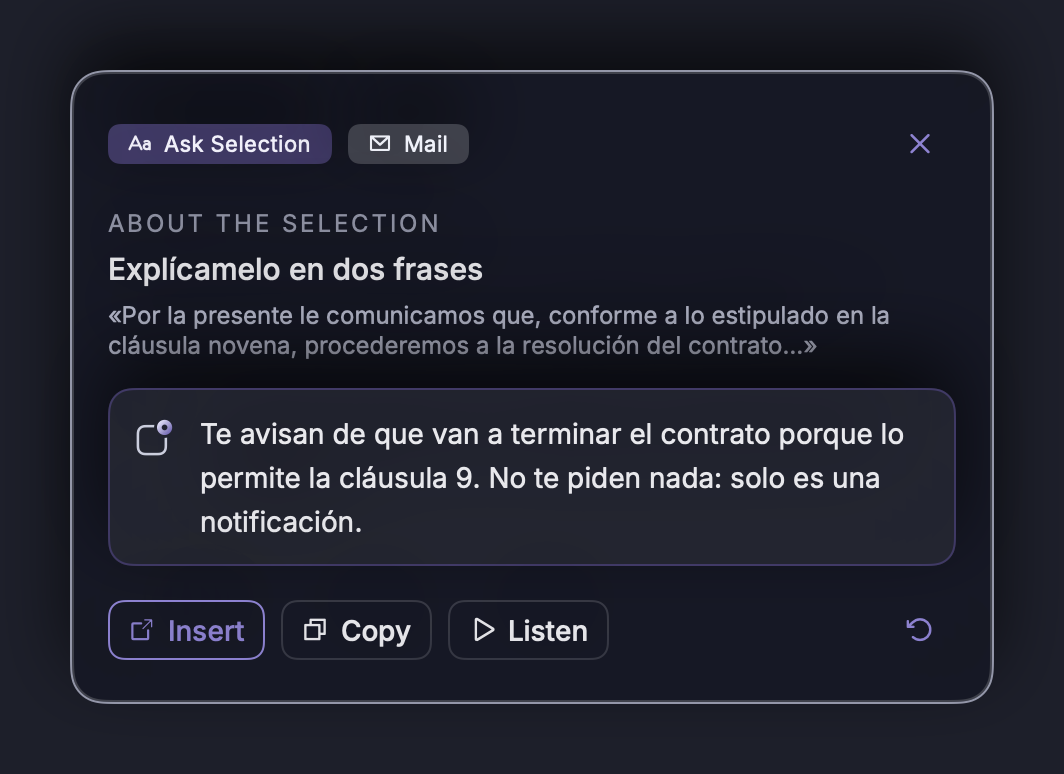
4. Understand a tricky paragraph
Select the text and say “explain it in plain words”. If it's an editable field, you can also ask it to rewrite it.
5. Translate without losing the meaning
Contract in Spanish? Ask in English: “what does the confidentiality clause say?”, or ask for a translation of a specific section.
What to keep in mind
- It's not legal advice. Use it to understand and find what matters; for decisions with consequences, consult a professional.
- Check key figures in the original. The answer tells you where to look; a final glance is always worth it.
- Privacy: you don't upload the file to any website. The AI is Claude, by Anthropic, which doesn't train on your requests.
In short
- Ask the document instead of reading it end to end.
- With Pro, NOTVM reads the full PDF or Word file.
- Summaries, risks, dates and translations in seconds.
More time-saving ideas in 7 repetitive tasks you can stop doing today.
Frequently asked questions
Can AI read a whole PDF, not just what's on screen?
Yes. With NOTVM Pro, if you have a PDF, Word or text document open, NOTVM reads the entire document, not just the part visible on screen.
Does it replace a lawyer?
No. NOTVM helps you understand a document quickly and find what matters (deadlines, penalties, obligations), but it isn't legal advice. For important decisions, consult a professional.
Do I have to upload the document to a website?
No. You open it as usual on your computer and ask with the NOTVM shortcut. There's no need to copy text or upload files anywhere.
Does it work with documents in other languages?
Yes. You can ask in English about a document in Spanish (or vice versa) and have it translate a section or the whole summary.
Try it free for 7 days
NOTVM works on Mac and Windows, in any app. Install it in two minutes and use a single shortcut: ⌥ Space on Mac or Alt Space on Windows.
Download NOTVM