
How to prepare for a meeting in 2 minutes with AI: walk in informed, walk out with everything done
The difference between a great meeting and a wasted one is usually the five minutes before it: rereading the last email, remembering what was promised, knowing what to ask. The problem is those five minutes rarely exist. With AI, preparing takes two, and everything afterwards happens on its own.
Before: prepare in one sentence
Instead of opening your inbox, hunting for the last quote and reviewing scattered notes, use the NOTVM shortcut (⌥ Space on Mac, Alt Space on Windows) and say:
“Prepare me for the meeting with Laura from Fision”
NOTVM searches your documents, emails, folders and Slack for what you have about that person or company and sums it up in a card: what you discussed last time, what's still pending and which documents matter. Every detail comes with its source, so you can open the original in one click.
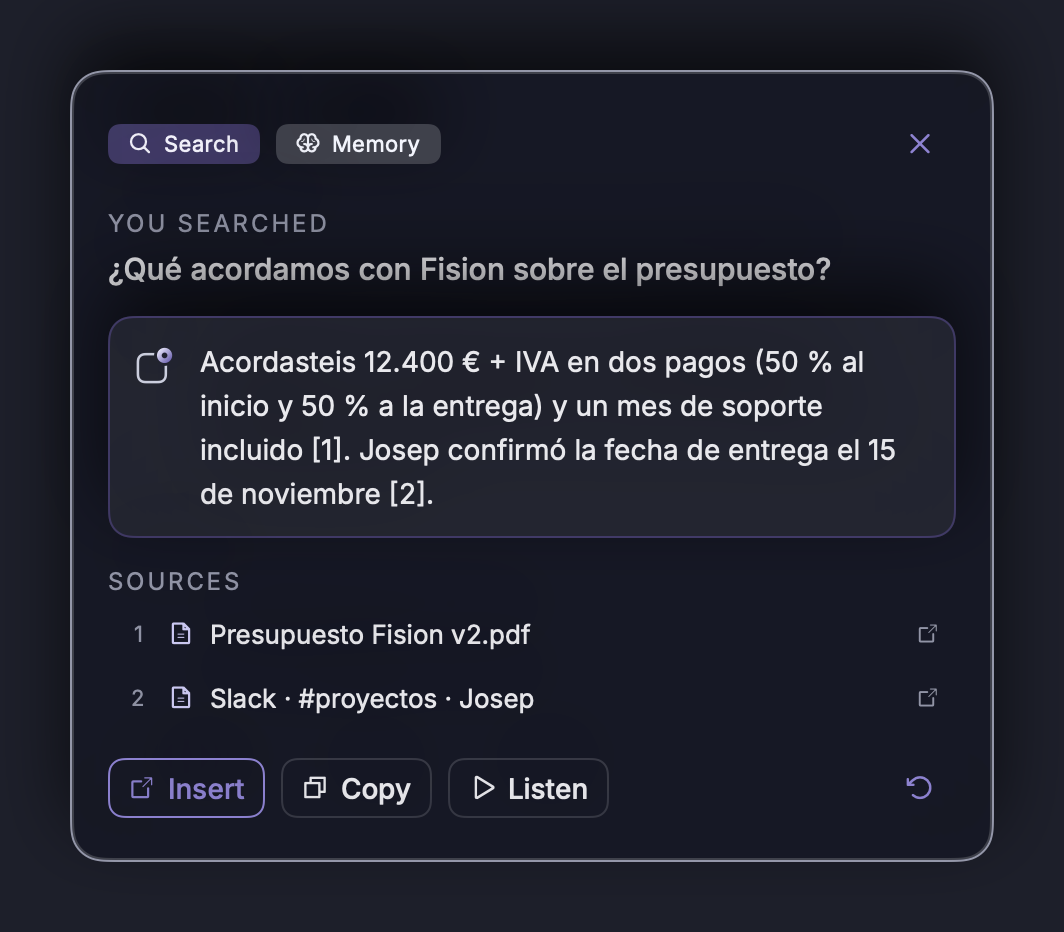
Three questions worth asking before you walk in
- “What did we promise them in the last meeting?”
- “How much did we quote them, and when?”
- “What concerns did they raise in their last emails?”
During: focus on the conversation
When the call starts in Zoom, Meet, Teams or Webex, NOTVM asks if you want to turn on meeting mode. From then on:
- It transcribes live who says what, so you don't have to take notes.
- It nudges you when something matters: a question left unanswered or a topic still to cover.
- It answers with your data: if someone asks for a number, you can look it up without leaving the meeting.
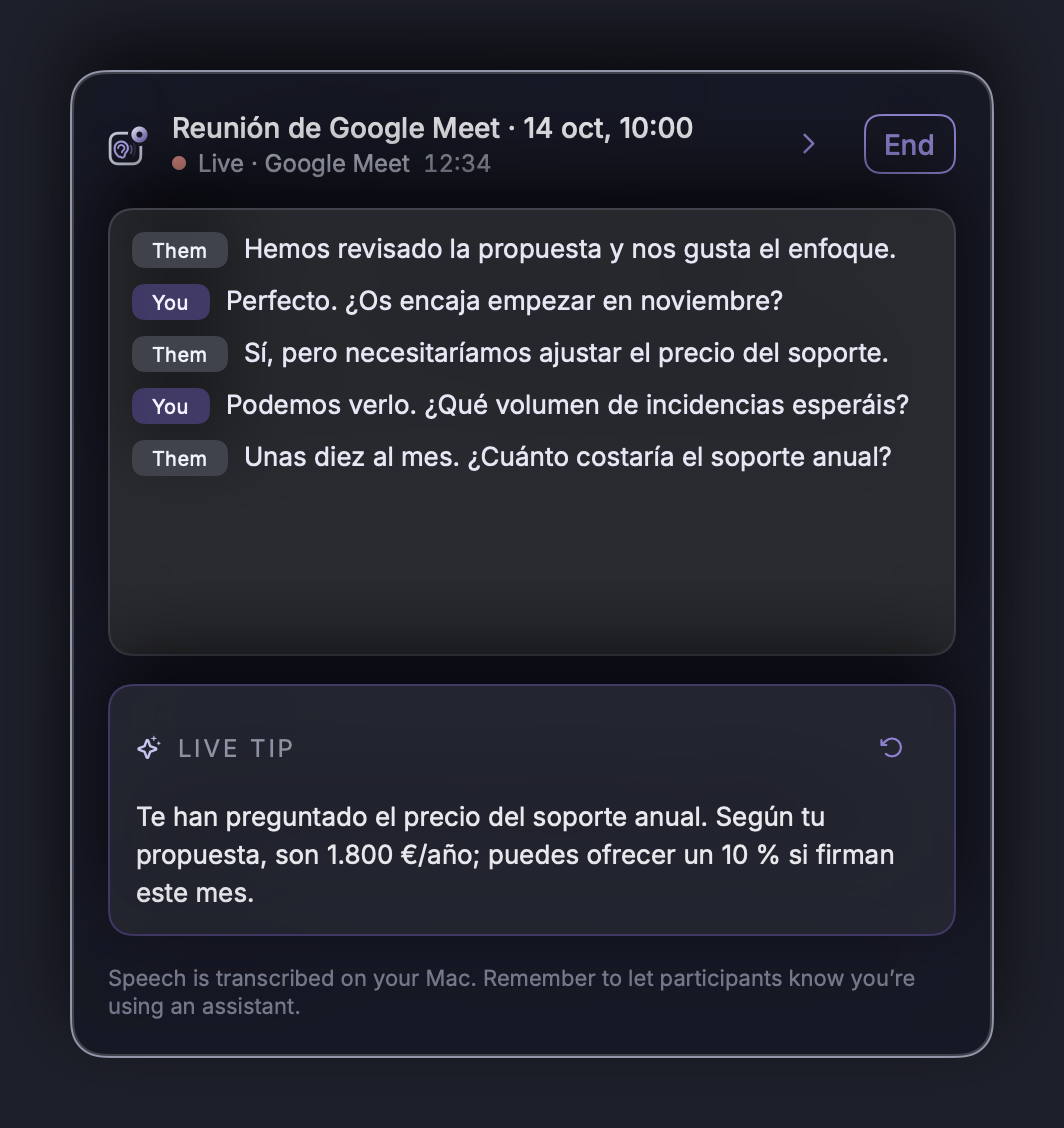
Because you're not writing, you listen better, ask better questions, and the other person notices.
After: leave with everything done
When you press Finish, within seconds you have:
- The summary with key points and decisions.
- The tasks, with who owns each one.
- The follow-up email, ready to review and send.
And if you agreed on a date, just say it and NOTVM prepares it: “set up a meeting with Laura on Thursday at ten”. It always asks you to confirm before creating it.
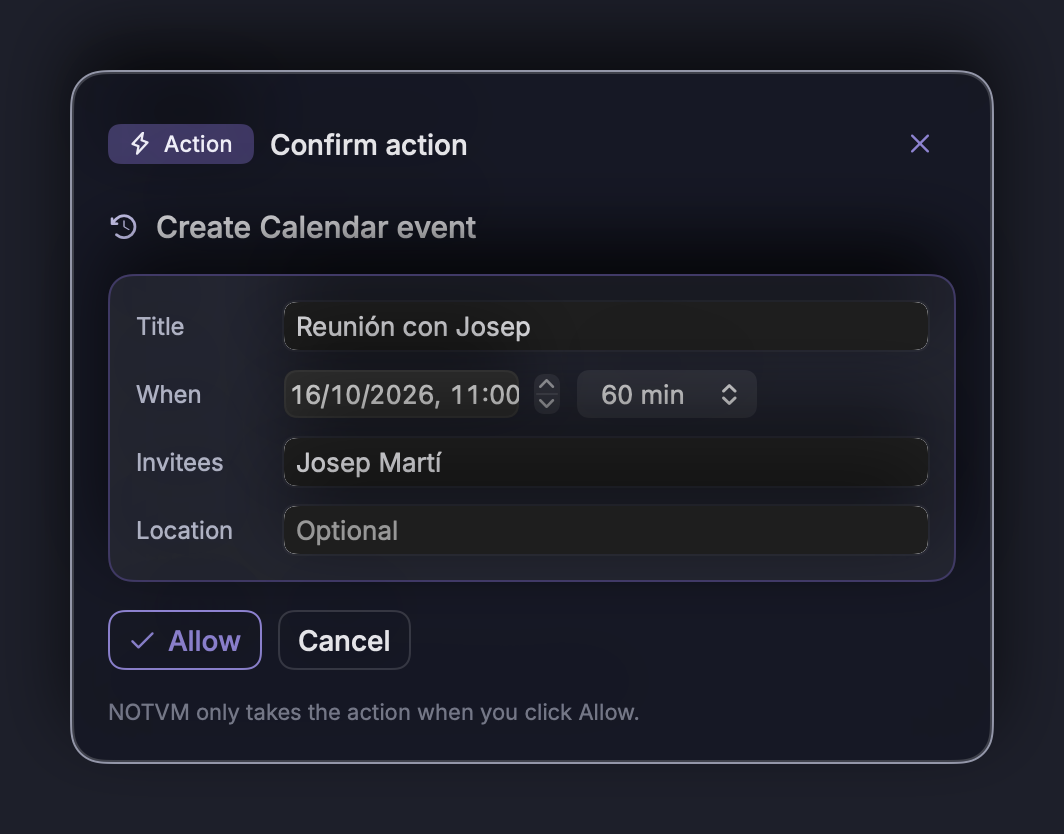
A week later
Everything is saved, so you can ask again whenever you need it: “What did we agree with Fision on Tuesday?”. It's like having perfect notes from every meeting without taking a single one.
Tip: before every important meeting, spend those two minutes asking “prepare me for…”. It's the habit that makes the biggest difference to the outcome.
In short
- Before: one sentence gets you the context, with sources.
- During: live transcript and help, no note-taking.
- After: summary, tasks and follow-up email in seconds.
To learn more about automatic summaries, read meetings without taking notes or see NOTVM Meets.
Frequently asked questions
How can AI help me prepare for a meeting?
With NOTVM, just say “prepare me for the meeting with…”. It searches your emails, documents and Slack for what you have about that person or topic and summarizes it in a card, citing where each detail comes from.
Does it work with Zoom, Google Meet and Teams?
Yes. NOTVM Meets runs on your computer with Zoom, Google Meet, Microsoft Teams and Webex. You don't need to invite a bot to the call.
Can other participants see that I'm using NOTVM?
No visible assistant joins the call: the audio is processed on your computer. Even so, it's right to let people know you use a note-taking tool, just as you would if you were recording.
What happens to my meeting information?
Your voice is transcribed on your own computer. The summary is generated with Claude, by Anthropic, which does not use your data to train its models, and the transcript is saved on your Mac or PC.
Try it free for 7 days
NOTVM works on Mac and Windows, in any app. Install it in two minutes and use a single shortcut: ⌥ Space on Mac or Alt Space on Windows.
Download NOTVM